Docker Project for DevOps Engineers.

What is a Docker file?
A Dockerfile is a simple text file with instructions to build an image. If we do not have the docker file, to build the image and run the container word by word we used the command line interface according to our requirements. But this docker file helps us to provide the instruction on what needs to be pulled, what arguments need to be run after building the image, and providing some configurations.
TASK:-
Create a Dockerfile for a simple web application (e.g. a Node.js or Python app)
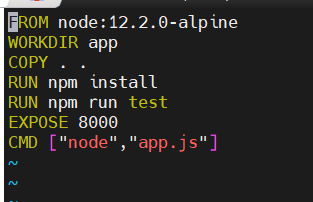
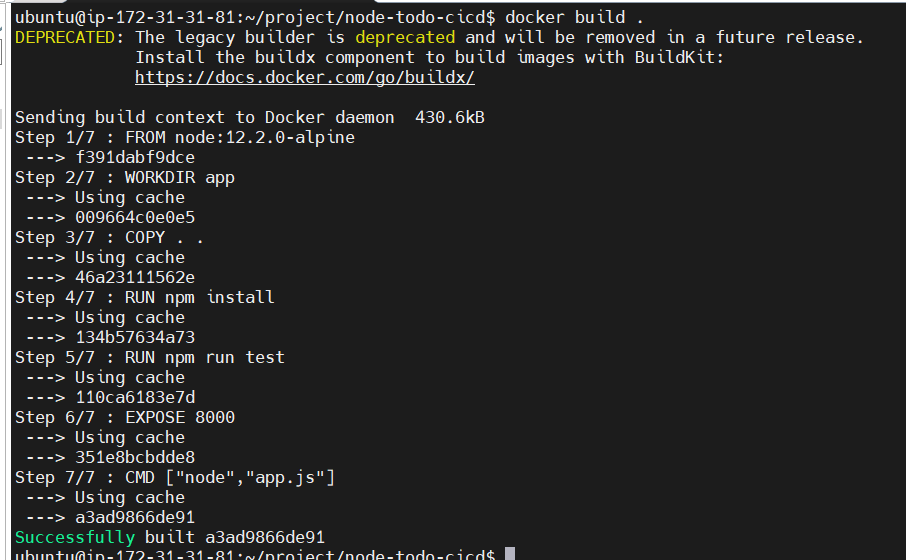
- Build the image using the Dockerfile and run the container
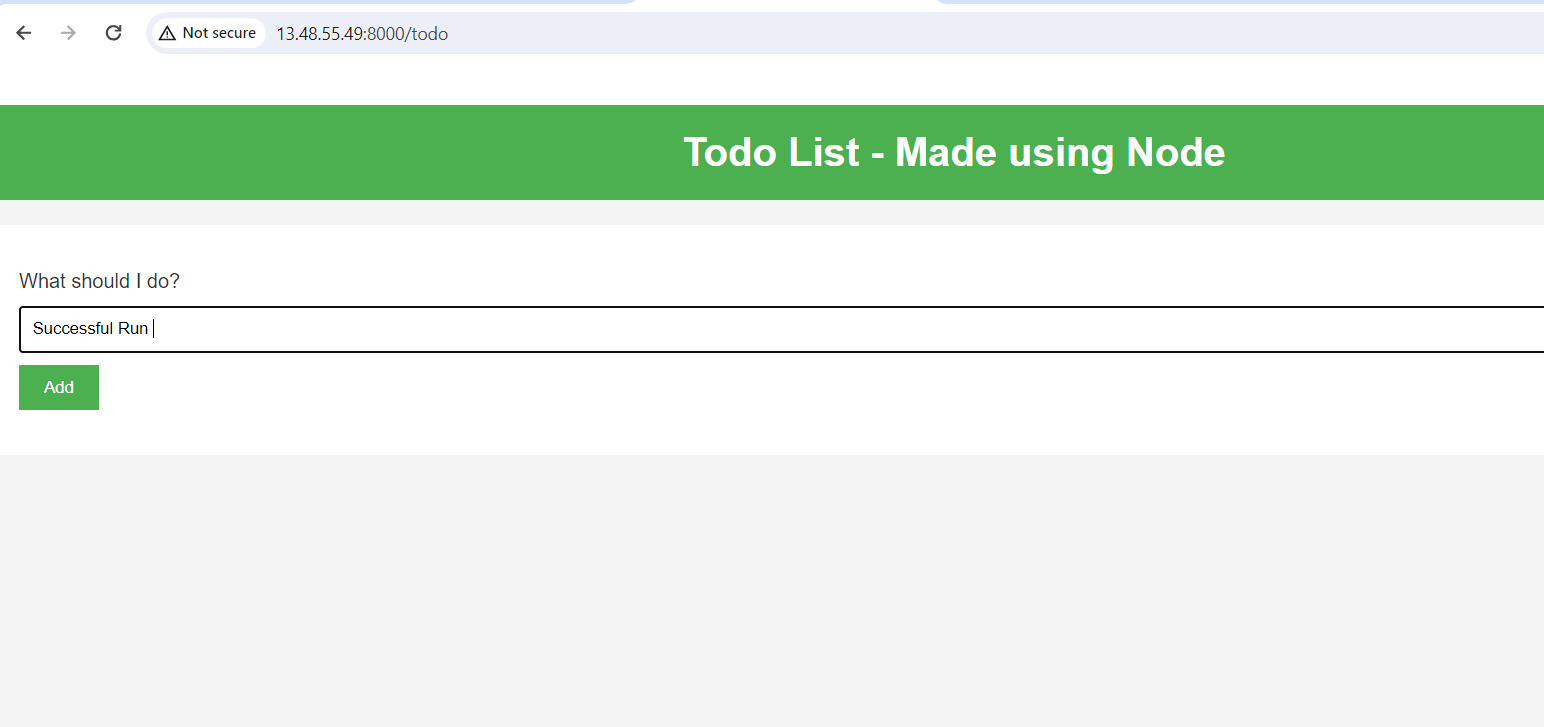
Verify that the application is working as expected by accessing it in a web browser
Push the image to a public or private repository (e.g. Docker Hub )
Now, let's share your Dockerized masterpiece with the world. Push the Docker image to a public or private repository, such as Docker Hub.
In the command line, run the docker push command that you see on Docker Hub. ...
Sign in to Docker Hub using the command docker login -u YOUR-USER-NAME .
Use the docker tag command to give the getting-started image a new name. ...
Now run the docker push command again.
✨Congratulations!🎉 You've successfully completed today's #90daysofdevops challenge by Dockerizing a web application. This hands-on experience with Docker and Dockerfile will undoubtedly strengthen your DevOps skills.😊
HAPPY LEARNING.


